Less time in the system, more time with the patient.
From the front desk ticket to the invoice signed by the pet owner, Verun Vet organizes your clinic's routine in a single workflow. It runs in the browser, with nothing to install.
The bottlenecks that eat up your day and how they go away.
Every practice owner knows it: time disappears between the phone, a crowded front desk and paperwork. Verun Vet removes that friction.
A crowded, confusing front desk
Pet owners asking who is next and names called out loud.
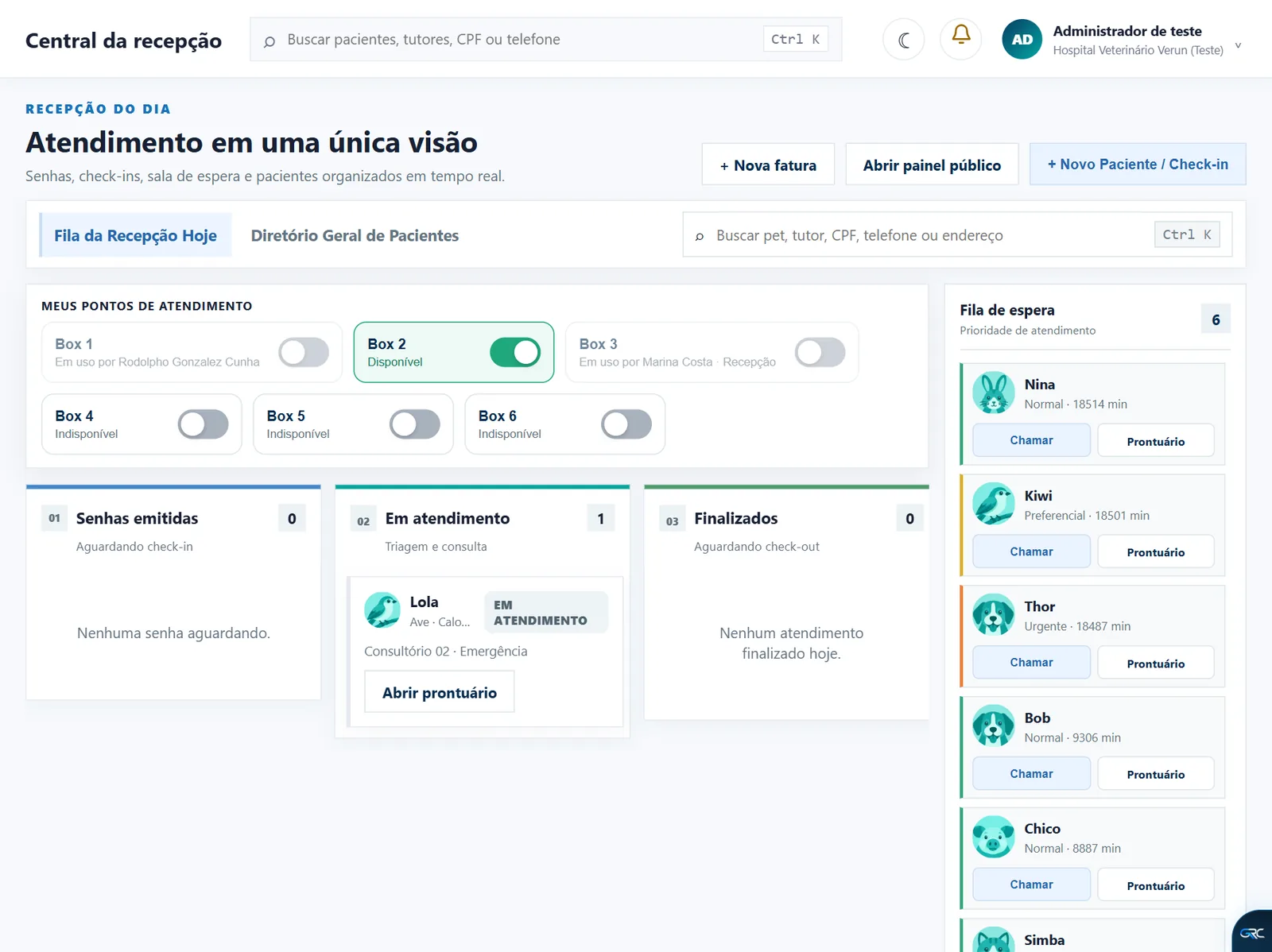
With Verun VetThe pet owner takes a queue ticket at the self-service kiosk, the front desk calls it through the system, and the TV display shows the ticket number and the exam room, with a chime.
Scattered history
Patient information spread across paper charts, messages and the team's memory.
With Verun VetOne medical record per patient, with a timeline of consultations, tests, medications, care and procedures.
Phones ringing about results
Pet owners calling to ask whether the test is ready.
With Verun VetThe pet owner receives a receipt with a password and checks the report online as soon as it is released.
Cash that doesn't reconcile
Consultations that never get billed and payments noted down separately.
With Verun VetInvoice with items from your price list, the pet owner's on-screen signature, and payment by PIX (Brazil's instant payment system), card or cash posted directly to cash flow.
The workflow in practice
Watch a visit unfold, step by step.
Scroll down and follow the patient’s path through Verun Vet, from first contact to checkout.
Step 01 / 07
The pet owner arrives
They take a ticket at the front-desk kiosk.
Call and check-in
The TV display calls the ticket, with a sound, and the front desk checks the patient in with a priority.
Exam room
A structured clinical history, from the reason for the visit to the treatment plan.
Tests and prescription
The vet orders tests from the catalog and prescribes. The prescription prints ready to sign, on the clinic’s letterhead.
The owner follows up
With the password on their receipt, the owner checks the report online as soon as it is released, and takes home the care instructions.
All in the medical record
The patient’s history comes together on the timeline.
Invoice and cash flow
Items from the price list, the owner signs on screen, and payment by PIX (Brazil’s instant payment), card or cash goes straight to cash flow.
Scroll to continue
In the exam room
A complete consultation, with no unnecessary fields.
Clinical history fields
Chief complaint
History of present illness
Medical, surgical and trauma history
Current medications
Allergies
Diet, environment and husbandry
Review of systems
Physical examination
Problem list
Differential diagnoses
Diagnosis
Prognosis
Clinical management and treatment plan
Prescription and instructions
Dose, route, frequency, duration and instructions for each item
Defined destination: nursing, pharmacy or home use
Printed on letterhead with patient, species, breed, weight and pet owner
Non-drug instructions: rest, activity, diet and home care
Test orders on the same consultation screen
Your clinic's identity
Your brand on everything that leaves the clinic.
Upload your clinic's letterhead and adjust the margins by dragging the guides on screen. Prescriptions and test receipts carry your identity, ready to hand to the pet owner.
A4 image of your letterhead
Visually adjusted margins
Used on prescriptions and test receipts
Your clinic's logoAddress · phone · vet license
PrescriptionSignature and stamp
Grows with you
Start with the essentials. Turn on the rest when you need it.
Each module is independent. Turning off a module hides its screens, but never deletes data.
Front desk & calls
Queue ticket kiosk, waiting room display and check-in.
Clinical care
Queue, exam rooms, clinical history, prescribing and instructions.
Diagnostics
Catalog, orders, reports and online results for the pet owner.
Pharmacy & inventory
Products, batches, expiration dates, stock movements and labels.
Procedure scheduling
Scheduled procedures with calendar invites and QR Code.
Financial control
Invoices, payments received, expenses and cash flow.
Frequently asked questions
Questions from clinics
Do I need a powerful computer or a server at the clinic?
No. Verun Vet runs in the browser and is hosted in the cloud. All you need is a computer, tablet or phone with internet access.
Do I need a TV for the waiting room display?
The display works on any screen with a browser. A TV with a browser, or a computer connected to a TV, will do.
Can I use only the front desk and medical records at first?
Yes. You turn on only the modules you will use and turn on the others whenever you want, without losing anything already recorded.
I accept pet insurance and pet health plans. Does it work?
Yes. On the invoice you choose between self-pay or plan, and enter how much the plan provider covers and how much is the pet owner's copay.
My history is in another system. Can I bring it over?
Tell us which system you use today. We assess importing your drug catalog and patient history as part of the quote.
Shall we see what your clinic's routine could look like?
We show you Verun Vet in practice, the way your team works, and send you a tailored quote.
Analytics cookies. With your permission, we use Google Analytics to understand how the site is used and to improve it. No data is used for advertising. Learn more